SNGPL Customer Care App: Download, Features & Usage Guide
Last reviewed: September 2026
Managing an SNGPL gas connection no longer requires a visit to a customer service center for every routine task. SNGPL ConnectOn is the company’s consumer mobile application, designed to bring important gas-account services to Android and other supported mobile users.
Through the app, consumers can view and download their gas bills, check billing and consumption information, make online payments, register and track complaints, estimate bills, check tariff information, manage multiple Account IDs and access several connection-related services. The current Google Play listing identifies SUI NORTHERN GAS PIPELINES LIMITED as the developer and shows the app updated in August 2026.
Important: Search for the official SNGPL ConnectOn application and verify that the developer is SUI NORTHERN GAS PIPELINES LIMITED before installing. Avoid unofficial APK files and third-party app packages.
What Is the SNGPL ConnectOn App?
SNGPL ConnectOn is SNGPL’s mobile application for consumers. It provides digital access to several services that would otherwise require using the SNGPL website, calling customer support or visiting a customer service facility.
SNGPL’s customer-service information also identifies the mobile app as one of its complaint channels, alongside its website, call center and physical customer-service facilities.
What Can You Do With the SNGPL App?
| Service | Available through SNGPL ConnectOn |
|---|---|
| View current gas bill | Yes |
| Download gas bill | Yes |
| View yearly billing information | Yes |
| View yearly consumption | Yes |
| Pay gas bill online | Yes |
| Check tariff information | Yes |
| Estimate gas bill | Yes |
| Register complaints | Yes |
| View complaint history | Yes |
| Apply for new connection | Yes |
| Check new-connection status | Yes |
| Apply for reconnection | Yes |
| Register for e-bill | Yes |
| Manage multiple Account IDs | Yes |
| Transfer gas connection | Yes |
| Apply for RLNG conversion | Yes |
| Find SNGPL office locations | Yes |
| Submit feedback | Yes |
| Report gas theft | Yes |
These functions are based on the current consumer-app listing published under SNGPL’s developer account.
SNGPL App Main Features
1. Check and Download Your SNGPL Gas Bill
One of the most useful functions is digital bill access.
Instead of waiting for a paper bill, you can use the app to view available bill details and download the bill for your records.
Depending on the information available for your account, the app can provide:
- Current bill information
- Payable amount
- Billing details
- Annual billing history
- Annual consumption information
- Downloadable bill
- Payment-related information
Why Download a Duplicate Bill?
A downloaded copy can be useful when:
- Your paper bill has not arrived
- You need another copy for your records
- You want to verify the payable amount
- You need billing information while making an online payment
- You want to compare current and previous bills
Visual suggestion: Place a smartphone mockup here showing a sample gas-bill screen.
2. Pay Your SNGPL Bill Online
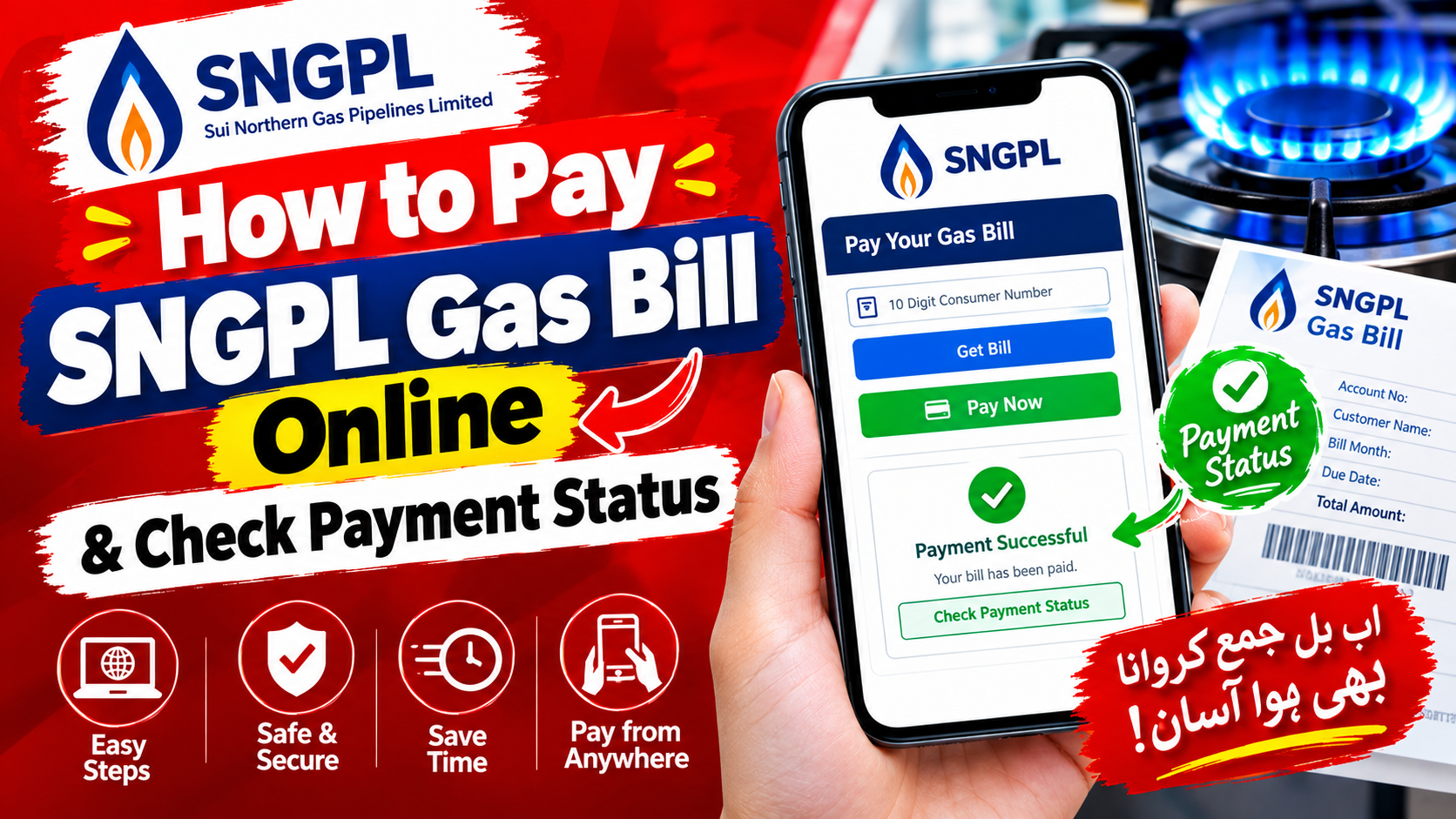
SNGPL ConnectOn also supports online gas-bill payment.
This means consumers can use the app to access their bill and proceed with an available digital payment method without necessarily visiting a bank branch.
Before confirming payment, always check:
- Account ID
- Consumer information
- Bill month
- Amount payable
- Payment confirmation
Keep the transaction confirmation or receipt until the payment has been reflected in your account.
SNGPL Bill Payment Checklist
| Check | Why It Matters |
|---|---|
| Account ID | Confirms the correct connection |
| Bill amount | Prevents accidental payment mistakes |
| Due date | Helps avoid late-payment issues |
| Transaction status | Confirms whether payment was completed |
| Receipt/reference | Useful if payment needs to be traced |
3. Check SNGPL Billing History and Consumption
The current SNGPL ConnectOn listing says consumers can view yearly consumption and yearly billing details.
This can help you understand how your gas usage changes throughout the year.
For example, you may compare:
- Winter versus summer consumption
- Previous and current billing periods
- Changes in household gas usage
- Seasonal increases
- Billing patterns
Simple Consumption Review
Previous billing information → Current billing information → Compare consumption → Investigate unusual changes
This is particularly useful when you receive a bill that appears higher than expected.
4. SNGPL Bill Estimator and Tariff Information
The app also provides tariff information and a bill-estimation facility.
An estimate can help you understand how your expected gas consumption may translate into a bill.
However, an estimated amount should not automatically be treated as the final payable bill.
The actual bill can depend on factors such as:
- Metered consumption
- Applicable tariff category
- Government taxes and charges
- Fixed charges where applicable
- Previous balances or adjustments
- Billing-period information
- Other applicable components
Estimated Bill vs Actual Bill
| Item | Estimated Bill | Official Bill |
|---|---|---|
| Purpose | Planning | Payment |
| Consumption | Estimated/input value | Billed consumption |
| Final charges | May differ | Official payable amount |
| Payment | Not the final record | Used for payment |
Visual suggestion: Add a small “Estimated Bill ≠ Final Bill” infographic beside this section.
5. Register and Track SNGPL Complaints
SNGPL ConnectOn allows consumers to register complaints and check complaint history.
SNGPL also states that complaints can be lodged through multiple channels, including its mobile application and 24/7 call center.
The company’s customer-service material identifies 1199 as its short-code call center for consumers within its operational area.
Common Issues for Which Consumers May Need Support
- Gas supply problems
- Low pressure
- Billing concerns
- Meter-related issues
- Non-receipt of bills
- Connection-related problems
- Payment-related complaints
- Other service issues
When submitting a complaint, provide accurate account information and describe the issue clearly.
Keep Your Complaint Number
After submitting a complaint, save the complaint or ticket reference if one is provided.
It can help when:
- Checking complaint history
- Following up with customer support
- Explaining the issue to an SNGPL representative
- Confirming that the complaint was previously registered
6. Apply for a New SNGPL Gas Connection
The current app listing includes a facility to apply for a new connection and check the status of an existing application.
This can reduce the need to repeatedly visit an office just to check application progress.
New Connection Workflow
Apply → Submit required information → Application processing → Check status through the app
Actual processing requirements and eligibility depend on SNGPL’s applicable procedures and the circumstances of the connection.
7. Check New Connection Application Status
If you have already submitted a connection application, the app can be used to check its status.
This is useful because applicants do not necessarily need to rely on repeated physical visits simply to ask whether an application has progressed.
Tip: Keep your application/reference information available whenever you need to contact SNGPL about an application.
8. Apply for Reconnection
SNGPL ConnectOn also lists reconnection among its available consumer services.
If your connection has been disconnected, the appropriate reconnection process can depend on the reason for disconnection and applicable SNGPL requirements.
Do not assume that installing the app or submitting an online request alone completes every required reconnection formalities. Follow the instructions shown for your particular account.
9. Manage Multiple SNGPL Account IDs
A useful feature for consumers who manage more than one property is the ability to add different Account IDs manually.
For example, a person may need to monitor:
- Home connection
- Parents’ connection
- Office connection
- Rental property
- Another family property
The app’s current listing specifically includes the ability to add different Account IDs.
Multiple Accounts Can Simplify Bill Management
Instead of keeping separate paper records for every connection, you can organize supported accounts within the app and access their available information digitally.
10. Register for SNGPL E-Bill
The app also supports registration for electronic bills through email and SMS.
E-billing can be useful if you want to receive bill information digitally instead of relying only on the physical copy.
Before submitting your details, make sure your contact information is entered correctly.
11. Transfer Your SNGPL Gas Connection
SNGPL ConnectOn lists a facility to apply for transfer of gas connection.
Connection-transfer requests may require supporting documentation and compliance with SNGPL’s applicable procedures.
Use the app to initiate or access the service where available, but follow any additional instructions or document requirements provided by SNGPL.
12. Apply for RLNG Conversion
The current SNGPL ConnectOn listing also includes an option for RLNG conversion.
Because gas pricing and eligibility rules can change, consumers should review the current terms and applicable SNGPL information before submitting an application.
13. Find SNGPL Offices
The app includes an office-location feature, which can help consumers identify relevant SNGPL facilities.
This is particularly useful when a service cannot be completed entirely online and an in-person visit is required.
How to Download the Official SNGPL App
Android Users
For Android phones:
- Open the Google Play Store.
- Search for SNGPL ConnectOn.
- Check that the developer is SUI NORTHERN GAS PIPELINES LIMITED.
- Review the app information.
- Tap Install.
- Open the application after installation.
- Register or sign in as required.
The current Google Play listing identifies SNGPL as the developer and shows the consumer app updated in August 2026.
SNGPL ConnectOn on Google Play
Important: Do Not Download Random SNGPL APK Files
You may find websites offering an “SNGPL APK” for direct download.
It is safer to use an official app-store listing rather than installing an APK from an unknown website.
An unofficial APK could be modified or bundled with unwanted software.
Recommended approach:
Google Play Store → SNGPL ConnectOn → Developer: SUI NORTHERN GAS PIPELINES LIMITED → Install
Is SNGPL ConnectOn Available for iPhone?
The original draft states that the app is available on both Android and iPhone. However, the current official evidence I could verify confirms the Android consumer listing under SNGPL’s developer account.
For that reason, it is better not to promise an iPhone version without checking the current Apple App Store listing.
iPhone Users Should
- Open the Apple App Store.
- Search for SNGPL ConnectOn.
- Verify the developer and app identity.
- Install only if the listing is genuine and currently available.
If the official listing is not available in your App Store region, use SNGPL’s official web services instead.
How to Set Up Your SNGPL Account
The exact registration screens can change as the application is updated, so follow the fields displayed by the current version of the app.
Before registering, keep your basic account information available.
Information You May Need
- SNGPL Account ID
- Registered mobile number
- Relevant consumer information
- Any verification code requested by the application
General Registration Process
Step 1: Install the official SNGPL ConnectOn app.
Step 2: Open the application and select the registration/new-user option if required.
Step 3: Enter the requested Account ID and contact information.
Step 4: Complete any SMS or other verification process shown by the app.
Step 5: Create your login credentials.
Step 6: Sign in and check whether your bill/account information is displayed correctly.
Security tip: Never share an OTP, password or other login credential with someone claiming to be an SNGPL representative through an unsolicited message.
How to Check Your SNGPL Bill in the App
Once your account is successfully connected:
- Open SNGPL ConnectOn.
- Sign in.
- Select the relevant Account ID.
- Open the bill section.
- Review the available bill details.
- Check the payable amount and due date.
- Download the bill if you need a PDF/copy for your records.
If you manage multiple connections, make sure you select the correct Account ID before reviewing or paying a bill.
How to Pay Your SNGPL Bill Through the App
A typical process is:
- Open SNGPL ConnectOn.
- Select your Account ID.
- Open the current bill.
- Verify the bill amount and account details.
- Select the available online payment option.
- Complete the payment through the supported payment flow.
- Save the transaction confirmation.
Payment availability and the exact interface can change as the application is updated, so use the payment options actually displayed in the current version.
How to Submit an SNGPL Complaint Through the App
If you need to report a service issue:
- Log in to SNGPL ConnectOn.
- Open the complaint/service section.
- Select the relevant complaint category.
- Enter a clear description of the problem.
- Submit the complaint.
- Save the complaint reference number if provided.
- Use complaint history/tracking functions to follow the case.
SNGPL says its complaint-management system maintains complaint histories and that complaints can be received through the mobile app and other channels.
What If the SNGPL App Is Not Working?
A mobile app can occasionally fail to load account information because of an internet connection, application update, temporary server issue or account-data problem.
Try these steps in order:
1. Check Your Internet Connection
Switch between Wi-Fi and mobile data if necessary.
2. Update the App
Open the relevant app store and check whether a newer SNGPL ConnectOn version is available.
3. Restart the Application
Close the app completely and open it again.
4. Check Your Account Information
Make sure you selected the correct Account ID and entered the required information correctly.
5. Restart Your Phone
A simple restart can resolve temporary application problems.
6. Try Again Later
If SNGPL’s backend services are temporarily unavailable, account information may not load until the service is restored.
7. Use Another Official SNGPL Channel
If the problem continues, use SNGPL’s website, customer-service facilities or call center.
SNGPL’s published customer-service information identifies 1199 as its 24/7 call-center short code within its operational area.
SNGPL App vs Website vs BillHelp.pk
Different tools are useful for different tasks.
| Feature | SNGPL ConnectOn | SNGPL Official Website | BillHelp.pk |
|---|---|---|---|
| Check bill | Yes | Yes | Can provide bill-check guidance/service |
| Download bill | Yes | Yes | Depends on available service |
| Online payment | Yes | Available through official channels | Information/guidance |
| Billing history | Yes | Available services vary | Guidance |
| Consumption information | Yes | Available services vary | Guidance |
| Complaint registration | Yes | Yes | Guidance |
| Complaint history | Yes | Yes | Guidance |
| New connection services | Yes | Yes | Information/guidance |
| Tariff information | Yes | Yes | Explanatory guides |
| Bill estimation | Yes | Yes | Calculator/guides where available |
| Multiple Account IDs | Yes | Account-dependent | N/A |
| Official account management | Yes | Yes | No |
| Third-party information | No | No | Yes |
Which Option Should You Use?
For account management: SNGPL’s official app or website.
For official complaints: SNGPL’s app, website, customer-service center or 1199.
For general guides and explanations: BillHelp.pk or other informational resources.
The official SNGPL channels should remain the final reference for account-specific information, complaints, applications and payments.
SNGPL ConnectOn Security Tips
Because a gas account can contain personal and billing information, take basic precautions.
Do
- Download the app from an official app store.
- Verify the developer name.
- Keep the app updated.
- Use a strong password.
- Keep your phone’s operating system updated.
- Log out on shared devices.
- Save legitimate payment confirmations.
- Verify the Account ID before paying.
Don’t
- Download random SNGPL APK files.
- Share your password.
- Share OTP codes.
- Give account credentials to strangers.
- Install modified versions of the application.
- Pay through suspicious links sent through social media.
- Ignore unusual login or transaction activity.
Common SNGPL App Problems and Solutions
| Problem | What to Try |
|---|---|
| App does not open | Restart phone and update app |
| Bill does not appear | Check Account ID and try again later |
| Payment fails | Verify payment details and try an available official payment method |
| Forgot password | Use the app’s available recovery process |
| Complaint not visible | Check complaint history and retain reference number |
| Multiple accounts | Add/select the correct Account ID |
| New connection status unavailable | Recheck application information later |
| App asks for permissions | Review the permission requested and allow only what is appropriate |
| Suspected fake app | Uninstall it and use the official store listing |
Frequently Asked Questions
What is the official SNGPL customer app?
The current consumer application is SNGPL ConnectOn, published under SUI NORTHERN GAS PIPELINES LIMITED.
Can I check my SNGPL gas bill through the app?
Yes. The current app listing states that consumers can view bill details and view/download bills.
Can I download a duplicate SNGPL bill?
Yes. The consumer app listing includes bill viewing and downloading.
Can I pay my SNGPL bill through the app?
Yes. SNGPL ConnectOn lists online bill payment as one of its consumer functions.
Can I check my SNGPL consumption history?
Yes. The app lists yearly consumption and yearly billing information among its features.
Can I register an SNGPL complaint through the app?
Yes. The app supports complaint registration and complaint-history checking.
Can I track my previous SNGPL complaints?
The app listing states that consumers can check complaint history.
What is the SNGPL complaint number?
SNGPL identifies 1199 as its short-code call center for customer complaints and service assistance within its operational area.
Can I apply for a new SNGPL connection through the app?
Yes. The current consumer-app listing includes new-connection application and application-status functions.
Can I check the status of my new gas connection?
Yes. Checking the status of an applied connection is listed as an app feature.
Can I apply for reconnection through SNGPL ConnectOn?
Yes, reconnection is listed among the consumer services supported by the app.
Can I add more than one SNGPL Account ID?
Yes. The current app listing specifically includes the ability to add different Account IDs manually.
Can I register for SNGPL e-bill?
Yes. The app lists registration for e-bill through email and SMS.
Does SNGPL ConnectOn provide a bill calculator?
Yes. The app lists tariff information and bill estimation among its features.
Can I transfer my SNGPL gas connection through the app?
A connection-transfer service is listed in the current consumer app. Additional documentation or processing may still be required.
Can I apply for RLNG conversion?
The current app listing includes an RLNG conversion application option.
What should I do if my SNGPL bill does not appear?
First check your Account ID, internet connection and application version. If the problem continues, try the official SNGPL website or contact SNGPL customer support.
Should I download an SNGPL APK from another website?
It is better to use the official app-store listing. Avoid installing APK files from unknown third-party websites because their authenticity cannot be guaranteed.
Is SNGPL ConnectOn available on iPhone?
The current evidence verified for this guide confirms the official Android consumer listing. iPhone users should check the Apple App Store for a current official SNGPL ConnectOn listing rather than relying on third-party download sites.
Is the SNGPL app free?
The official Google Play listing does not indicate a purchase price for downloading the consumer application. Normal mobile-data or internet charges may apply.
The SNGPL ConnectOn app provides a central digital route for many everyday gas-connection tasks. Its current feature set includes bill viewing and downloading, online payments, billing and consumption information, complaints, tariff and bill estimation, new-connection services, e-bill registration, multiple Account IDs, connection transfer, reconnection and RLNG conversion.
For the safest experience, download the application through an official app store and verify that SUI NORTHERN GAS PIPELINES LIMITED is shown as the developer.
For account-specific problems, payments, complaints or service requests, use SNGPL’s official channels as the authoritative source.
Quick SNGPL App Checklist
- Install SNGPL ConnectOn
- Verify the official developer
- Add the correct Account ID
- Check your current bill
- Review billing/consumption information
- Use online payment where appropriate
- Register complaints through official channels
- Save payment and complaint references
- Keep the app updated
- Never share OTPs or passwords