How to Pay SNGPL Gas Bill Online & Check Payment Status
Paying your SNGPL Gas bill online is one of the easiest ways to clear your monthly gas bill without visiting a bank branch or standing in a payment queue.
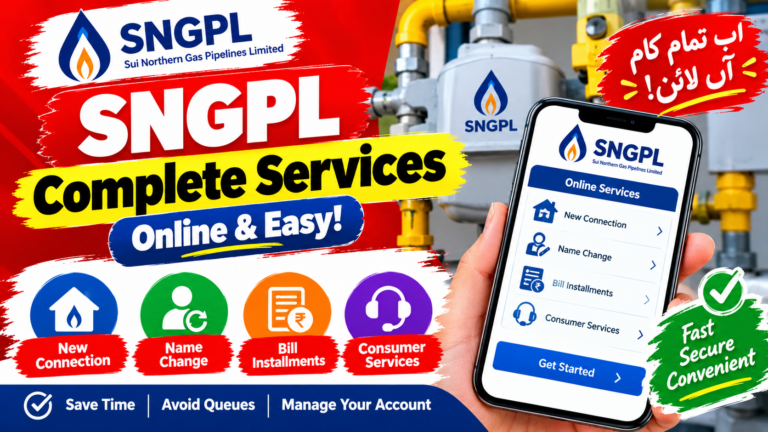
With an SNGPL 10-digit Account ID, consumers can use digital payment channels such as mobile banking, internet banking, branchless banking applications, ATMs and other supported payment services. SNGPL itself lists internet banking, mobile banking, its mobile application, Easypaisa, JazzCash, ATMs, scheduled banks, GPOs/NPOs and other channels among its bill-payment options.
This guide explains how to pay an SNGPL gas bill online, where to find your Account ID, how to use EasyPaisa and JazzCash, how bank apps work, how to verify a payment, and what to do if your payment is delayed or your bill still shows unpaid.
Why Pay Your SNGPL Bill Online?
Online bill payment eliminates the need to travel to a bank or payment counter every month.
Main Benefits
| Benefit | Why It Matters |
|---|---|
| Save time | Pay without visiting a branch |
| 24/7 access | Many digital channels can be used outside normal banking hours |
| Digital receipt | Transaction details provide payment evidence |
| Convenient | Pay from home, work or while travelling |
| Multiple options | Use a wallet, bank app, ATM or another supported channel |
| Faster confirmation | Digital transactions normally provide an immediate transaction record |
| Paper reduction | Digital receipts can reduce the need for printed payment slips |
SNGPL officially lists several electronic and physical payment channels, giving consumers multiple ways to settle their bills.
Need Your SNGPL Bill Right Now?
To retrieve an SNGPL bill or make a payment through a supported service, you will generally need your 10-digit Account ID.
Your Account ID can normally be found on the SNGPL bill.
Before Making a Payment, Keep These Details Ready
- 10-digit SNGPL Account ID
- Consumer name
- Bill amount
- Due date
- Mobile phone with your banking/wallet app
- Sufficient account or wallet balance
Tip: Always verify the consumer name and amount displayed by the payment service before confirming the transaction.
SNGPL Online Bill Payment Methods
There are several ways to pay an SNGPL gas bill electronically.
| Payment Method | Available for SNGPL? |
|---|---|
| Mobile banking | Yes |
| Internet banking | Yes |
| SNGPL mobile application | Yes |
| EasyPaisa | Yes |
| JazzCash | Yes |
| ATM | Yes |
| Scheduled bank branches | Yes |
| GPO/NPO payment channels | Yes |
| Other supported electronic channels | Depending on provider |
SNGPL’s own payment information lists these categories of payment channels.
1. How to Pay SNGPL Bill Through EasyPaisa
EasyPaisa can be used for utility-bill payments through its supported bill-payment services.
General Steps
Step 1: Open the EasyPaisa application.
Step 2: Sign in using your account PIN or available authentication method.
Step 3: Open the Bill Payment section.
Step 4: Select Gas or the relevant utility category.
Step 5: Select SNGPL from the available billers.
Step 6: Enter your 10-digit SNGPL Account ID.
Step 7: Allow the app to retrieve the bill information.
Step 8: Check the consumer name and amount carefully.
Step 9: Confirm the payment.
Step 10: Save the transaction confirmation or receipt.
EasyPaisa Payment Checklist
| Check Before Paying | Why |
|---|---|
| Account ID | Prevents payment to the wrong account |
| Consumer name | Confirms the account |
| Amount due | Confirms the bill |
| Due date | Helps identify overdue bills |
| Transaction ID | Useful if a payment dispute occurs |
SNGPL officially identifies Easypaisa among its branchless-banking payment channels.
2. How to Pay SNGPL Bill Through JazzCash
JazzCash is another branchless-banking option listed by SNGPL for bill payments.
Steps
- Open the JazzCash application.
- Sign in with your account credentials.
- Go to Bill Payment.
- Select Gas.
- Choose SNGPL.
- Enter your 10-digit Account ID.
- Check the bill information retrieved by the app.
- Verify the consumer name and amount.
- Confirm the transaction.
- Save the receipt or transaction ID.
Important
Do not confirm a payment if the displayed consumer details do not match your SNGPL account.
If you enter the wrong Account ID, contact the payment provider as soon as possible and keep the transaction reference available.
3. Pay SNGPL Bill Through a Mobile Banking App
Many Pakistani banks provide utility-bill payment through their mobile banking applications.
SNGPL officially supports mobile banking and internet banking as payment channels.
The exact menu names can differ between banks, but the general process is similar.
General Banking-App Process
Open your bank’s official app
↓
Select Bill Payment / Payments
↓
Choose Utility Bills
↓
Select Gas
↓
Select SNGPL
↓
Enter your 10-digit Account ID
↓
Fetch and verify bill
↓
Confirm payment
↓
Save transaction receipt
Some banks may require an OTP, biometric authentication, transaction PIN or another security step.
4. Pay SNGPL Bill Through Internet Banking
Internet banking is another option for customers who prefer using a desktop or laptop.
Typical Steps
- Sign in to your bank’s official internet-banking website.
- Open the bill-payment section.
- Select utility payments.
- Select gas services.
- Choose SNGPL.
- Enter your Account ID.
- Retrieve the bill details.
- Check the amount and consumer information.
- Authorize the payment using the bank’s security method.
- Save the transaction confirmation.
The precise interface depends on your bank.
5. Pay SNGPL Bill Through an ATM
SNGPL also lists ATMs among its bill-payment channels.
General ATM Procedure
- Insert your debit/ATM card.
- Enter your PIN.
- Select Bill Payment or Utility Bill Payment.
- Select the appropriate gas utility option.
- Select SNGPL where available.
- Enter your 10-digit Account ID.
- Review the displayed bill information.
- Confirm the payment.
- Collect the transaction receipt.
ATM menus vary by bank, so the exact wording may be different.
6. Pay SNGPL Bill Through a Bank Branch
Digital payment is not the only option.
SNGPL also lists scheduled banks and other physical payment channels among its payment facilities.
If you prefer branch payments, take your SNGPL bill with you and follow the bank’s utility-bill payment procedure.
What Is the SNGPL 10-Digit Account ID?
The Account ID is one of the most important numbers on your SNGPL bill.
It is used by supported bill-payment and bill-retrieval systems to identify the consumer account.
Where Can You Find It?
Look near the account information section of your SNGPL bill.
If you have an old bill, compare the Account ID carefully before using it for a new payment.
Do Not Confuse These Details
| Information | Purpose |
|---|---|
| Account ID | Identifies the SNGPL consumer account |
| Consumer name | Identifies the billed customer |
| Meter number | Identifies the gas meter |
| Bill number | Identifies the particular bill/document |
| Due date | Date by which the bill should normally be paid |
| Billing period | Period covered by the bill |
Understanding Your SNGPL Gas Bill
Knowing what the main fields mean can make it easier to check your bill and identify unusual charges.
| Bill Field | What It Means |
|---|---|
| Account ID | Main consumer account identifier |
| Consumer name | Name associated with the connection |
| Service address | Address where gas is supplied |
| Previous reading | Earlier meter reading |
| Current reading | Latest meter reading |
| Gas consumption | Quantity of gas recorded during the billing period |
| HM³ | Gas-volume unit used in the billing calculation |
| MMBTU | Energy measurement derived from gas consumption and calorific value |
| Arrears | Previous amount remaining unpaid |
| Surcharge | Applicable late-payment or other surcharge |
| Current bill | Charges for the current billing period |
| Total amount due | Amount payable according to the bill |
How Is SNGPL Gas Consumption Calculated?
Your SNGPL bill is not simply based on the number printed on the meter.
The bill can involve gas volume, conversion factors and the energy content of the gas.
A simplified consumption process looks like this:
Current Meter Reading
↓
Previous Meter Reading
↓
Gas Volume Consumed
↓
Conversion / Billing Calculation
↓
Energy Value in MMBTU
↓
Applicable Tariff
↓
Taxes, Charges & Adjustments
↓
Total Bill
This is why two consumers with similar-looking meter readings can sometimes receive different bill amounts.
What Are HM³ and MMBTU on an SNGPL Bill?
These terms can look confusing if you have never examined a gas bill closely.
HM³
HM³ represents a gas-volume measurement used in SNGPL billing.
MMBTU
MMBTU stands for Million British Thermal Units.
It represents energy rather than simply physical gas volume.
The conversion from gas volume to energy can depend on the Gross Calorific Value (GCV) of the gas.
Therefore, an SNGPL bill may show both consumption-related volume information and an energy value used for tariff calculation.
How SNGPL Gas Tariffs and Slabs Work
Domestic natural-gas tariffs in Pakistan are regulated through the applicable government and regulatory framework, including OGRA’s tariff determinations and notifications.
Residential consumers can fall into different tariff categories.
One important distinction is between protected and non-protected domestic consumers.
What Is a Protected SNGPL Consumer?
A protected domestic consumer is generally identified using consumption history rather than simply looking at the current month’s consumption.
OGRA’s published tariff material defines the protected category using the consumer’s average consumption during the four winter months from November through February, with the relevant threshold specified in the applicable tariff notification.
This means you should not assume that using a small amount of gas in one month automatically makes the account protected.
Why Winter Consumption Matters
Gas consumption can increase substantially during colder months because of:
- room heaters;
- geysers;
- longer heating periods;
- cooking requirements;
- other household gas appliances.
For protected-category determination, the applicable winter consumption history is therefore important.
What Is a Non-Protected SNGPL Consumer?
A domestic consumer who does not meet the applicable protected-category criteria is treated as non-protected under the relevant tariff structure.
Non-protected domestic consumers can face different slab rates depending on their gas consumption.
The applicable tariff should always be checked against the current OGRA notification rather than an old online table because gas tariffs can change.
OGRA continues to publish consumer-gas pricing and regulatory decisions, including material relating to SNGPL.
How to Reduce Your SNGPL Gas Bill
Gas consumption can increase significantly during winter.
If you want to control your bill, focus on the appliances responsible for the largest amount of consumption.
Practical Ways to Save Gas
- Avoid leaving room heaters running when nobody is present.
- Turn off the geyser when hot water is not required.
- Check for unusual changes in gas consumption.
- Maintain gas appliances properly.
- Avoid unnecessary heating.
- Use appropriate thermostat settings where applicable.
- Monitor your monthly meter readings.
- Compare current consumption with previous winter months.
Winter Monitoring Table
| Appliance | What to Monitor |
|---|---|
| Room heater | Hours of daily use |
| Geyser | Heating duration |
| Gas stove | Cooking time and flame level |
| Other appliances | Unusual consumption |
| Gas meter | Monthly reading changes |
How to Check Your SNGPL Bill Payment Status
After making an online payment, keep the transaction confirmation until the payment has been reflected in your account.
A payment may pass through several systems before it appears in the utility’s billing record.
Recommended Process
Make Payment
↓
Save Transaction ID
↓
Keep Bank/Wallet Receipt
↓
Check Account/Bill Status Later
↓
Contact Provider if Payment Remains Unresolved
Do not delete the payment confirmation immediately after a successful transaction.
How Long Does an SNGPL Online Payment Take to Reflect?
There is no single guaranteed time that applies to every payment channel and every situation.
The payment provider may first process the transaction before the utility’s billing system receives and posts the payment.
Therefore:
- keep your transaction ID;
- keep the digital receipt;
- check the account again later;
- contact the payment provider if the transaction appears unsuccessful;
- contact SNGPL if the payment was completed but remains unresolved after the relevant processing period.
Avoid promising that every payment will appear within exactly 24 or 48 hours.
What If Your Bank Account Was Debited but SNGPL Still Shows Unpaid?
Do not immediately make a second payment.
First check whether the original transaction was successful.
Follow These Steps
- Check the transaction status in your banking or wallet app.
- Save the transaction ID.
- Check the amount deducted.
- Confirm the Account ID used.
- Allow reasonable processing time.
- Contact the payment provider if the transaction is stuck or failed.
- Contact SNGPL if the payment was successfully processed but has not been properly reflected.
Keep These Details
| Information | Keep It? |
|---|---|
| Account ID | Yes |
| Transaction ID | Yes |
| Payment date | Yes |
| Payment amount | Yes |
| Bank/wallet name | Yes |
| Digital receipt | Yes |
| Screenshot | Useful |
What If You Paid the Wrong SNGPL Account?
This situation should be handled quickly.
If you accidentally entered another person’s Account ID, contact the payment provider immediately.
Provide:
- transaction ID;
- payment date;
- amount;
- incorrect Account ID;
- intended Account ID;
- payment channel.
Do not assume that an incorrect payment will automatically be transferred to the correct account.
The payment provider and SNGPL may need to investigate the transaction before any correction can be made.
What If You Pay Your SNGPL Bill Twice?
If you accidentally make two payments, do not assume that the extra amount will automatically be refunded or applied in exactly the same way in every case.
Keep both transaction receipts and contact the relevant payment provider or SNGPL customer-service channel for clarification.
This is particularly important if the two payments were made through different banks or wallets.
SNGPL Bill Payment Troubleshooting
| Problem | Recommended Action |
|---|---|
| Account ID not accepted | Recheck all 10 digits |
| Wrong consumer name appears | Do not confirm payment |
| Payment failed | Check wallet/bank transaction status |
| Account debited but bill unpaid | Keep transaction ID and contact support |
| Paid wrong account | Contact payment provider immediately |
| Duplicate payment | Keep both receipts and request guidance |
| Bill amount looks unusual | Compare readings and previous bills |
| Old arrears appear | Check previous payment records |
| Online service unavailable | Try again later or use another supported channel |
What If Your SNGPL Bill Has an Unexpected Amount?
Before assuming that the bill contains an error, compare the current statement with your previous bill.
Check:
1. Meter Readings
Compare the current and previous readings.
2. Gas Consumption
Look for an unexpected increase in consumption.
3. Tariff Category
Check whether the applicable consumer category has changed.
4. Arrears
An older unpaid amount can increase the total payable.
5. Surcharge
Check whether a surcharge has been added.
6. Billing Period
Make sure the bill covers the expected period.
7. Energy Calculation
Check the consumption and MMBTU-related fields shown on the statement.
How to Contact SNGPL About a Bill Problem
For account-specific issues, payment disputes, meter problems or billing complaints, use SNGPL’s current customer-service channels.
SNGPL publishes customer-service information and payment facilities through its official website. Its published contact information includes customer-service email addresses and the 1199 helpline for customer complaints/emergency assistance.
Keep Your Information Ready
When contacting customer support, have:
- SNGPL Account ID;
- consumer name;
- meter number;
- bill copy;
- transaction ID;
- payment receipt;
- description of the problem.
This can make account verification considerably easier.
SNGPL 1199 Helpline
The 1199 customer-service number is associated with SNGPL customer complaints and emergency assistance.
For a billing or service problem, explain the issue clearly and provide your Account ID when requested.
If the problem involves a payment made through a bank or wallet, also keep the transaction reference available.
SNGPL Online Payment: Safety Tips
Digital payments are convenient, but basic security precautions are still important.
Never Share Your Banking PIN
SNGPL or a legitimate payment provider should not require you to disclose your banking PIN to another person.
Verify the Account ID
A single incorrect digit can send a payment to a different account.
Check the Consumer Name
Always compare the displayed name with your bill.
Use Official Apps
Download banking and wallet applications from their legitimate app stores or official provider channels.
Save Receipts
Keep the transaction confirmation until the payment has been successfully reflected.
Avoid Unverified Payment Links
Do not enter card or banking information into a website merely because it claims to offer SNGPL bill payment.
SNGPL Online Bill Payment: Quick Comparison
| Method | Best For | Main Requirement |
|---|---|---|
| EasyPaisa | Mobile wallet users | EasyPaisa account + Account ID |
| JazzCash | Mobile wallet users | JazzCash account + Account ID |
| Mobile banking | Bank customers | Bank app + Account ID |
| Internet banking | Desktop users | Online banking access |
| ATM | Card users | Debit card + Account ID |
| Bank branch | Cash/branch users | Bill/account information |
| SNGPL mobile app | SNGPL digital users | App access + account details |
SNGPL itself confirms that these broad payment categories are supported.
Frequently Asked Questions
How can I pay my SNGPL bill online?
You can use supported mobile banking, internet banking, SNGPL’s mobile application, Easypaisa, JazzCash, ATMs and other listed payment channels.
What do I need to pay my SNGPL bill online?
You generally need your 10-digit SNGPL Account ID and access to the payment method you intend to use.
Where can I find my SNGPL Account ID?
The Account ID is printed on your SNGPL bill in the account-information section.
Can I pay my SNGPL bill through EasyPaisa?
Yes. SNGPL lists Easypaisa among its branchless-banking payment channels.
Can I pay my SNGPL bill through JazzCash?
Yes. JazzCash is also listed by SNGPL as a supported branchless-banking payment channel.
Can I pay my SNGPL bill through a bank app?
Yes. SNGPL lists mobile banking and internet banking among its payment channels.
Can I pay my SNGPL bill through an ATM?
Yes. SNGPL lists ATMs as one of its available bill-payment channels.
Can I pay my SNGPL bill after the due date?
A bill can generally still be paid after the due date through supported channels, but the amount payable may include applicable surcharge or other charges. Check the current bill for the amount due.
How long does an online SNGPL payment take to appear?
The timing can depend on the payment provider and posting process. Keep your transaction ID and receipt until the payment is reflected.
What if my bank account was debited but my SNGPL bill still says unpaid?
Do not immediately pay again. Check the transaction status, keep your receipt and transaction ID, and contact the relevant payment provider or SNGPL if the payment does not post.
What happens if I enter the wrong Account ID?
The payment may be directed toward another account. Contact your payment provider immediately with the transaction details if you discover an incorrect Account ID was used.
Can I pay an SNGPL bill twice?
A duplicate payment may result in an additional amount being charged. If this happens, retain both receipts and contact the relevant provider or SNGPL for instructions.
What is the SNGPL protected category?
The protected category is determined according to the applicable tariff rules. OGRA tariff material has defined domestic protected consumers using the average consumption of the four winter months, November through February, subject to the applicable threshold.
Does using less gas in one month make me a protected consumer?
Not necessarily. The protected classification is based on the applicable rules and consumption history, including the relevant winter-period calculation, rather than simply one month’s consumption.
What is HM³ on an SNGPL bill?
HM³ is a gas-volume measurement used in the billing calculation.
What is MMBTU?
MMBTU means Million British Thermal Units and represents an energy quantity used in gas billing.
Why did my SNGPL bill increase even though my meter reading looks similar?
Possible explanations include tariff changes, consumer-category differences, arrears, surcharge, billing-period differences or changes in the energy calculation. Compare the complete bill rather than looking only at the meter reading.
What is SNGPL’s customer-service number?
SNGPL publishes 1199 for customer complaints and emergency assistance.
What should I keep after paying my SNGPL bill?
Keep the transaction ID, payment receipt, payment date, amount and Account ID until the payment has been successfully reflected.
Paying your SNGPL bill online can save time and eliminate the need to visit a payment counter every month.
The most important information you need is your 10-digit Account ID. Once you have it, you can use a supported digital channel such as EasyPaisa, JazzCash, mobile banking, internet banking, an ATM, or the SNGPL mobile application. SNGPL officially lists these types of payment facilities for consumers.
For a successful payment, always verify the Account ID, consumer name and amount before confirming the transaction. Keep your receipt and transaction ID afterward.
If a payment is delayed, a wrong account was used, or your bill continues to show unpaid, avoid making unnecessary duplicate payments. Instead, check the transaction details and contact the appropriate payment provider or SNGPL customer-service channel.
For gas-bill questions, it is also useful to understand the difference between meter consumption, HM³, MMBTU, tariff category, arrears and surcharge. Domestic gas tariffs and protected-category rules are subject to the applicable regulatory framework, so older tariff information should not automatically be treated as current. OGRA continues to publish consumer-gas pricing and related regulatory information.
SNGPL Online Payment Checklist
- Find your 10-digit Account ID
- Select a supported payment channel
- Enter the Account ID carefully
- Verify the consumer name
- Check the amount and due date
- Confirm the transaction
- Save the transaction ID
- Keep the digital receipt
- Check the payment status later
- Contact support if the payment remains unresolved
Last reviewed: September 2026
Payment channels, tariffs, customer-service procedures and processing times can change. For account-specific information, use the current information provided by SNGPL and your payment provider.