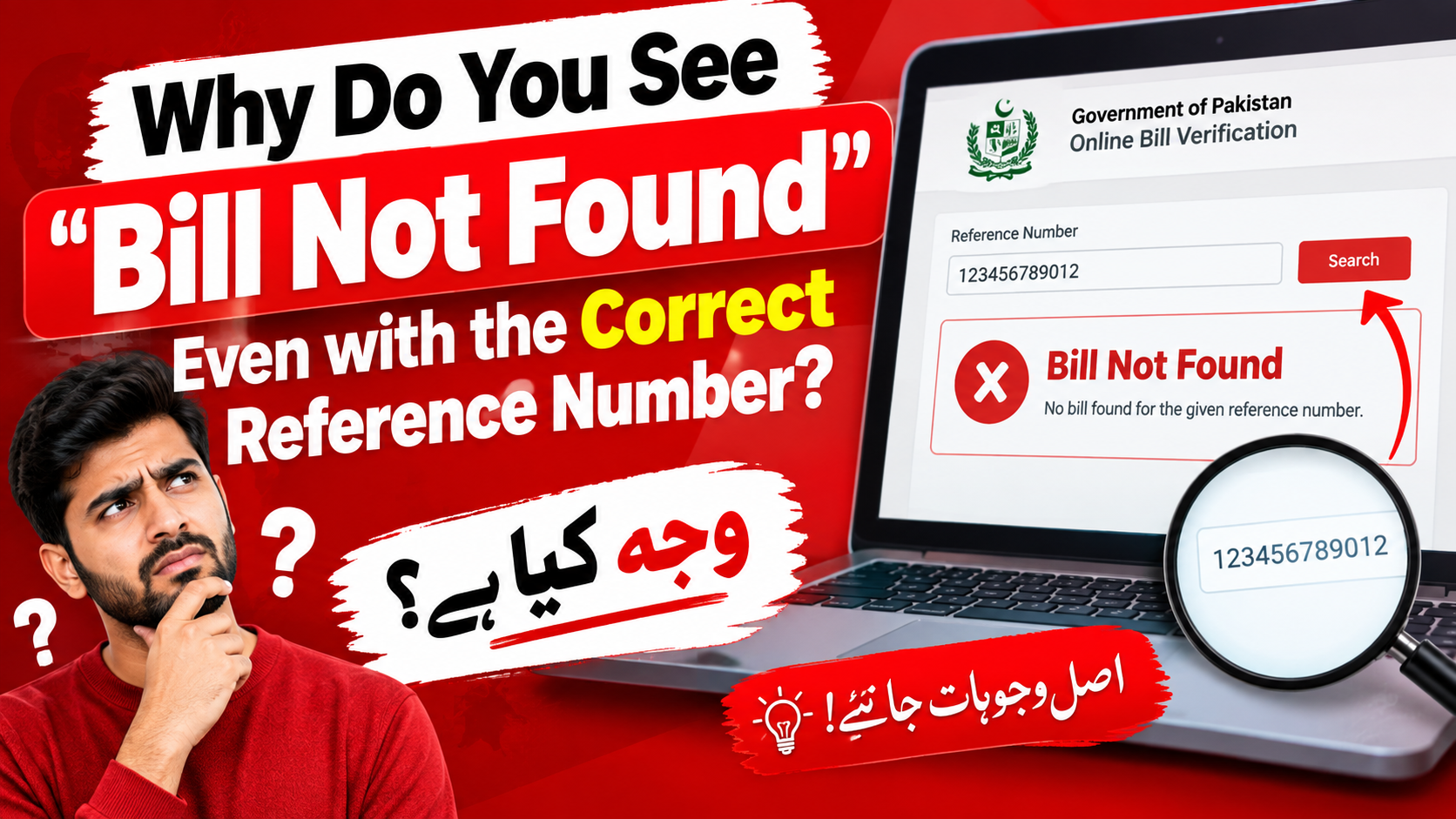
Why do you see “Bill Not Found” Even with the correct Reference Number?
MEPCO Bill Not Found or Invalid Reference Number – Reasons and Solutions
Seeing “Bill Not Found,” “Record Not Found,” or “Invalid Reference Number” when you try to check your MEPCO electricity bill can be frustrating, especially when you have entered the number exactly as it appears on an old bill.
A failed bill search does not automatically mean that your reference number is wrong. The problem may be caused by an incorrect number format, an old or changed reference number, a billing-system issue, an inactive or disconnected connection, or a temporary problem with the online bill database.
In some cases, an unpaid electricity account can eventually be disconnected and assigned a different status in the billing system. MEPCO’s Consumer Service Manual specifically provides a disconnection process for non-payment and states that an Equipment Removal Order (ERO) can be issued after continued default under the prescribed procedure.
This guide explains the most common reasons for the error and what you can do next.
Quick Answer: Why Does MEPCO Say “Bill Not Found”?
If your MEPCO reference number is correct but the bill still cannot be retrieved, possible causes include:
- the connection is inactive or disconnected;
- the reference number has changed;
- you are using an old reference number;
- the consumer ID or reference number was entered incorrectly;
- the billing record has not yet been updated;
- the online bill service is temporarily unavailable;
- the account has been transferred, modified, or otherwise changed in the billing system;
- the connection requires assistance from the relevant MEPCO subdivision or customer service office.
Important: A “Bill Not Found” message alone is not proof that the connection has been disconnected.
The Frustrating “Bill Not Found” Problem
Imagine you have an old MEPCO bill in front of you.
You carefully enter the reference number, check every digit, and press Search.
Instead of your bill, you see:
Bill Not Found
or:
Invalid Reference Number
or:
Record Not Found
The natural reaction is to assume that one digit was entered incorrectly.
Sometimes that is the problem.
But if you have checked the number several times and it matches your previous bill, there are several other possibilities worth investigating.
Understanding the Numbers on a MEPCO Bill
Before troubleshooting the problem, it helps to understand the information used to identify an electricity connection.
1. Reference Number
The reference number is the identifier commonly used to locate a consumer’s electricity billing record.
It is important to enter the number exactly as required by the bill-checking system.
Do not automatically add spaces, dashes, or other characters unless the particular service specifically asks for them.
2. Consumer ID
Some electricity systems also use a consumer ID or another account identifier.
The exact format and availability of these identifiers can differ between distribution companies and billing systems.
For this reason, do not assume that a consumer ID from one electricity company can be used in exactly the same way as a MEPCO reference number.
3. Meter Number
The meter number identifies the physical electricity meter.
It can be useful when contacting MEPCO about a billing or connection problem, but it is not necessarily interchangeable with the reference number used for online bill retrieval.
4. Active Connection
An active connection is one that remains part of the utility’s current billing and service records.
5. Disconnected Connection
A connection may be disconnected for several reasons, including non-payment.
MEPCO’s Consumer Service Manual lists default in payment among the grounds for disconnection.
Is Disconnection the Reason for “Bill Not Found”?
It can be, but it should not be treated as the only explanation.
This distinction is important.
Under MEPCO’s Consumer Service Manual, a consumer who does not pay the required bills can eventually face disconnection. The manual states that a connection should not be disconnected simply because one current bill was missed if there are no outstanding dues, and describes a notice and subsequent disconnection process for continued non-payment.
The same manual says that if the third month’s bill and previous arrears remain unpaid after the prescribed due date, an Equipment Removal Order (ERO) may be issued and the metering installation/material may be removed, with a permanently disconnected code assigned.
Therefore, an old unpaid connection can have a different billing status from an active connection.
However, an online “Bill Not Found” message by itself does not tell you which situation applies.
The best way to determine the account status is to contact MEPCO or visit the relevant customer service/subdivision office with your account details.
Common Reasons for an Invalid MEPCO Reference Number
Before assuming that your connection has been disconnected, check these possibilities.
1. One Digit Was Entered Incorrectly
This is the simplest explanation.
Reference numbers can be long, so it is easy to:
- omit a digit;
- repeat a digit;
- transpose two numbers;
- enter a space incorrectly;
- confuse a number copied from an old document.
What to Do
Compare the number character by character with your latest available MEPCO bill.
2. You Are Using an Old Reference Number
A consumer’s billing information can change over time.
For example, a utility company may reorganize billing records or assign a new reference number after an administrative change.
IESCO, another Pakistani distribution company, currently provides a dedicated “Search Reference Number” service and also maintains information relating to old versus new reference numbers. This illustrates why an old number should not automatically be assumed to remain the current lookup identifier.
What to Do
If you have a newer bill, use the reference number printed on the latest document rather than an older bill.
3. The Connection Has Been Disconnected
A disconnected connection can require a different process from an ordinary active account.
MEPCO’s Consumer Service Manual identifies non-payment as one of the grounds for disconnection and provides a formal reconnection procedure.
If you have several unpaid bills, this possibility becomes more important to investigate.
What to Do
Contact MEPCO and ask the representative to check:
- current connection status;
- outstanding arrears;
- disconnection status;
- whether an ERO was issued;
- whether the reference remains active in the billing system;
- reconnection requirements, if applicable.
4. The Bill Has Not Been Updated Yet
Sometimes the problem can be related to the timing of billing or data synchronization.
If you are checking around a billing-cycle transition, the latest bill may not immediately appear on every online platform.
What to Do
Wait and try again later.
If the problem continues for an extended period, contact MEPCO rather than repeatedly entering the same reference number.
5. The Online Bill Service Is Temporarily Unavailable
A bill-checking website or online database can experience technical problems.
If the reference number worked previously but suddenly stops working, a technical issue is one possibility.
Quick Test
Try:
- checking the number again;
- using another browser;
- clearing your browser cache;
- checking later;
- using the official MEPCO customer-service channel.
Do not conclude that the electricity connection has been disconnected simply because one website cannot retrieve the bill.
6. You Are Checking the Wrong Utility
Pakistan has several electricity distribution companies, including:
- MEPCO
- LESCO
- FESCO
- GEPCO
- IESCO
- HESCO
- SEPCO
- PESCO
- QESCO
- TESCO
Your bill must be checked through the system applicable to the electricity distribution company serving your connection.
IESCO’s current website, for example, separately identifies multiple DISCOs and provides its own duplicate-bill and customer-service facilities.
If you have moved house or are checking an old bill, make sure you know which company issued the bill.
7. Your Account Has Been Transferred or Modified
Changes to a connection can affect the information associated with the billing record.
Examples can include:
- change of name;
- change of connection details;
- modification of sanctioned load;
- transfer of premises;
- administrative changes;
- reconnection after previous disconnection.
If the information on your old bill no longer matches the current account record, an online search may not behave as expected.
What Should You Do If MEPCO Says “Bill Not Found”?
Use the following troubleshooting process.
Step 1: Check the Reference Number Again
Compare the number with your latest bill.
Do not rely on memory.
Check every digit carefully.
Step 2: Look for a Newer Bill
If you have more than one old MEPCO bill, compare the reference number and other account details.
A newer bill should generally be your first reference point.
Step 3: Check Your Meter Number
Keep your meter number available.
It can help MEPCO staff locate or verify the connection when a reference number does not produce an online result.
Step 4: Check Whether You Have Outstanding Arrears
Look at your previous bills and payment receipts.
If several bills remain unpaid, ask MEPCO whether the connection has been disconnected or assigned a disconnected status.
MEPCO’s published service manual confirms that continued non-payment can lead to disconnection under the prescribed procedure.
Step 5: Contact MEPCO
If the number is correct but the online bill remains unavailable, contact MEPCO customer service or the relevant subdivision.
MEPCO publishes a customer-service contact number of 0800-63726 on its procedures and policies page.
When contacting customer service, keep these details ready:
| Information | Why It Helps |
|---|---|
| Reference number | Main billing identifier |
| Meter number | Helps identify the physical connection |
| Consumer name | Account verification |
| CNIC information, if requested | Identity/account verification |
| Previous bill | Provides historical account information |
| Payment receipts | Helps verify cleared dues |
| Division/subdivision | Helps route the issue |
What If the Connection Was Disconnected Because of Non-Payment?
If MEPCO confirms that the connection was disconnected due to unpaid electricity dues, the solution is different from simply correcting a reference number.
MEPCO’s FAQ states that disconnected consumers can be reconnected after clearance of outstanding dues and completion of the applicable reconnection formalities. It also explains that a Reconnection Order (RCO) is authorized by the relevant customer-services authority.
The exact requirements can depend on the circumstances of the connection.
General Process
Confirm Status
↓
Find Outstanding Dues
↓
Clear Dues or Follow an Approved Payment Arrangement
↓
Complete Required Reconnection Formalities
↓
RCO / Reconnection Processing
↓
Supply Restoration
Do not assume that paying an old amount through an ordinary online bill-payment screen will automatically reactivate a disconnected connection.
First confirm the account status with MEPCO.
Can You Get a Bill for a Disconnected Connection?
This depends on the status of the account and the service being requested.
A disconnected account may not behave like an active monthly billing account in an online duplicate-bill system.
If the online system cannot retrieve the bill, contact the relevant MEPCO office and ask for the current outstanding amount or the applicable documentation.
MEPCO’s published FAQ confirms that reconnection after disconnection requires clearance of outstanding dues and completion of the relevant procedures.
What If You Already Paid the Arrears?
If you have already paid the outstanding amount but the connection still appears unavailable, do not immediately pay the same amount again.
Instead:
- locate your payment receipt;
- confirm the payment date;
- confirm the reference number on the receipt;
- contact the relevant MEPCO office;
- ask whether the payment has been posted to the account;
- ask whether any reconnection formalities remain.
MEPCO’s published FAQ specifically describes reconnection following clearance of outstanding dues and completion of the required formalities.
What If the Electricity Is Still Coming Even Though the Bill Cannot Be Found?
Do not use the presence of electricity at the property as proof that the account is fully active in the billing system.
A physical supply situation and an online billing record are not necessarily the same thing.
If the online record is missing while electricity is still being supplied, have MEPCO verify the connection status.
This is particularly important if the account has old arrears or there has been a previous disconnection/reconnection issue.
Do Not Confuse These Errors
Different messages can have different causes.
| Error Message | Possible Explanation |
|---|---|
| Invalid Reference Number | Incorrect number or unsupported identifier |
| Bill Not Found | Record could not be retrieved |
| Record Not Found | Account information unavailable to the search system |
| Bill Not Generated | Current billing record may not yet be available |
| Disconnected | Connection has a disconnected status |
| Duplicate Bill Unavailable | Online retrieval may not support that account status |
These messages should be treated as diagnostic clues, not definitive proof of the reason.
Bill Not Found: Quick Troubleshooting Checklist
Before contacting MEPCO, work through this checklist:
Reference Number
- Is every digit correct?
- Did you copy it from your latest bill?
- Are you using the correct electricity company?
Account Status
- Are there unpaid bills?
- Has the connection previously been disconnected?
- Have you recently paid outstanding arrears?
- Has the connection recently been changed or transferred?
Technical Issues
- Have you tried again later?
- Have you tried another browser?
- Does the problem occur on more than one bill-checking service?
Documents
- Latest bill available
- Previous bill available
- Meter number available
- Payment receipts available
- Consumer/account details available
How to Prevent Future Bill Lookup Problems
A few simple habits can make future billing issues easier to resolve.
Keep Your Latest Bill
Save a photograph or PDF of every electricity bill.
Keep Payment Receipts
Do not discard receipts immediately after paying a bill.
Record Your Meter Number
Keep the meter number somewhere accessible.
Save Your Reference Number
Store the reference number in your phone or another secure place.
Monitor Arrears
Do not assume an unpaid amount will disappear automatically.
Check Bills Regularly
Checking your electricity account regularly makes it easier to identify problems before they become more complicated.
MEPCO Bill Not Found: What to Take to the Office
If online troubleshooting does not solve the problem, take the following information with you:
| Document / Information | Recommended |
|---|---|
| Latest electricity bill | ✓ |
| Previous electricity bill | ✓ |
| Reference number | ✓ |
| Meter number | ✓ |
| Payment receipts | ✓ |
| Consumer name | ✓ |
| Identification information, if required | ✓ |
| Details of previous complaints | If available |
Having these details together can make it easier for the customer-service representative to locate the correct account.
Frequently Asked Questions
Why does my MEPCO bill say “Bill Not Found”?
The reference number may be incorrect, outdated, unavailable in the current online system, associated with an inactive/disconnected account, or affected by a temporary technical or billing-system issue.
Is “Bill Not Found” proof that my MEPCO connection is disconnected?
No. The message alone does not prove that the connection is disconnected.
MEPCO should confirm the account status.
Can unpaid bills cause a MEPCO connection to be disconnected?
Yes. MEPCO’s Consumer Service Manual provides for disconnection in cases of payment default after the prescribed notice and billing process.
Can one missed bill cause immediate disconnection?
MEPCO’s Consumer Service Manual states that a connection should not be disconnected for failure to pay one month’s bill when there are no outstanding dues. It describes additional notice and default procedures before disconnection.
What is an ERO?
ERO stands for Equipment Removal Order. Under MEPCO’s Consumer Service Manual, an ERO can be issued after continued non-payment under the specified procedure, with the metering installation/material removed and a permanently disconnected code assigned.
What should I do if my reference number is correct?
Check whether you are using the latest reference number, verify your account status, and contact MEPCO if the online record remains unavailable.
Can I use my meter number instead of my reference number?
The meter number can help MEPCO identify your connection, but it is not necessarily a substitute for the reference number on every online bill service.
What if I recently paid my arrears?
Keep your payment receipt and contact MEPCO if the account still appears unavailable. The payment may need to be verified or additional reconnection procedures may apply.
Can I reconnect my MEPCO connection after paying the arrears?
MEPCO states that disconnected consumers are reconnected after clearance of outstanding dues and completion of the applicable reconnection formalities.
What is an RCO?
RCO means Reconnection Order. MEPCO’s published FAQ identifies the RCO as part of the reconnection process for disconnected consumers.
Why does my old bill work but my new reference number does not?
There may have been an administrative or billing-record change. Compare your most recent bill with the older document and ask MEPCO to confirm the current reference number.
Why can’t I see my bill online even though electricity is available?
Online billing status and physical electricity supply should not be assumed to be identical. Ask MEPCO to verify the account’s current billing status.
Could the online bill website itself be the problem?
Yes. A temporary technical problem or data synchronization issue can prevent an otherwise valid account from being retrieved.
Should I keep trying different reference numbers?
No. First compare the number against your latest bill. If it is correct and still produces an error, verify the account status instead of guessing alternative numbers.
Can MEPCO tell me why my bill is not available?
Yes. MEPCO customer service or the relevant subdivision can check the account status and advise whether the issue relates to the reference number, billing record, arrears, disconnection, or another account matter.
What MEPCO number can I contact?
MEPCO’s procedures and policies page currently lists 0800-63726 as a customer-service contact.
Final Thoughts
A “Bill Not Found” or “Invalid Reference Number” message does not necessarily mean that your reference number is wrong.
Start with the simple checks: compare the number with your latest bill, make sure you are using the correct electricity company, and try the search again if there may be a temporary online-system issue.
If the reference number is definitely correct and the problem continues, investigate the account itself.
An inactive or disconnected connection is one possible explanation, particularly when there are outstanding electricity dues. MEPCO’s published service rules establish a formal process for disconnection following continued payment default and describe the requirements for reconnection.
The safest approach is therefore:
Check the number → Check your latest bill → Check for arrears → Verify account status → Contact MEPCO if necessary
Do not assume that an online error message tells you the exact reason. Let MEPCO confirm the status of the connection before paying a duplicate amount or starting a reconnection process.
Quick Reference
| Problem | First Action |
|---|---|
| Invalid reference number | Recheck the latest bill |
| Old reference number | Look for a newer bill |
| Bill not generated | Try again later |
| Several unpaid bills | Ask MEPCO about connection status |
| Recently paid arrears | Keep receipt and verify payment |
| Disconnected connection | Ask about reconnection procedure |
| Persistent online error | Contact MEPCO/customer service |
| Unsure of account details | Provide reference + meter number |
Last reviewed: September 2026
Billing systems, customer-service procedures, and contact information can change. For account-specific status, arrears, disconnection, or reconnection questions, confirm the information directly with MEPCO.