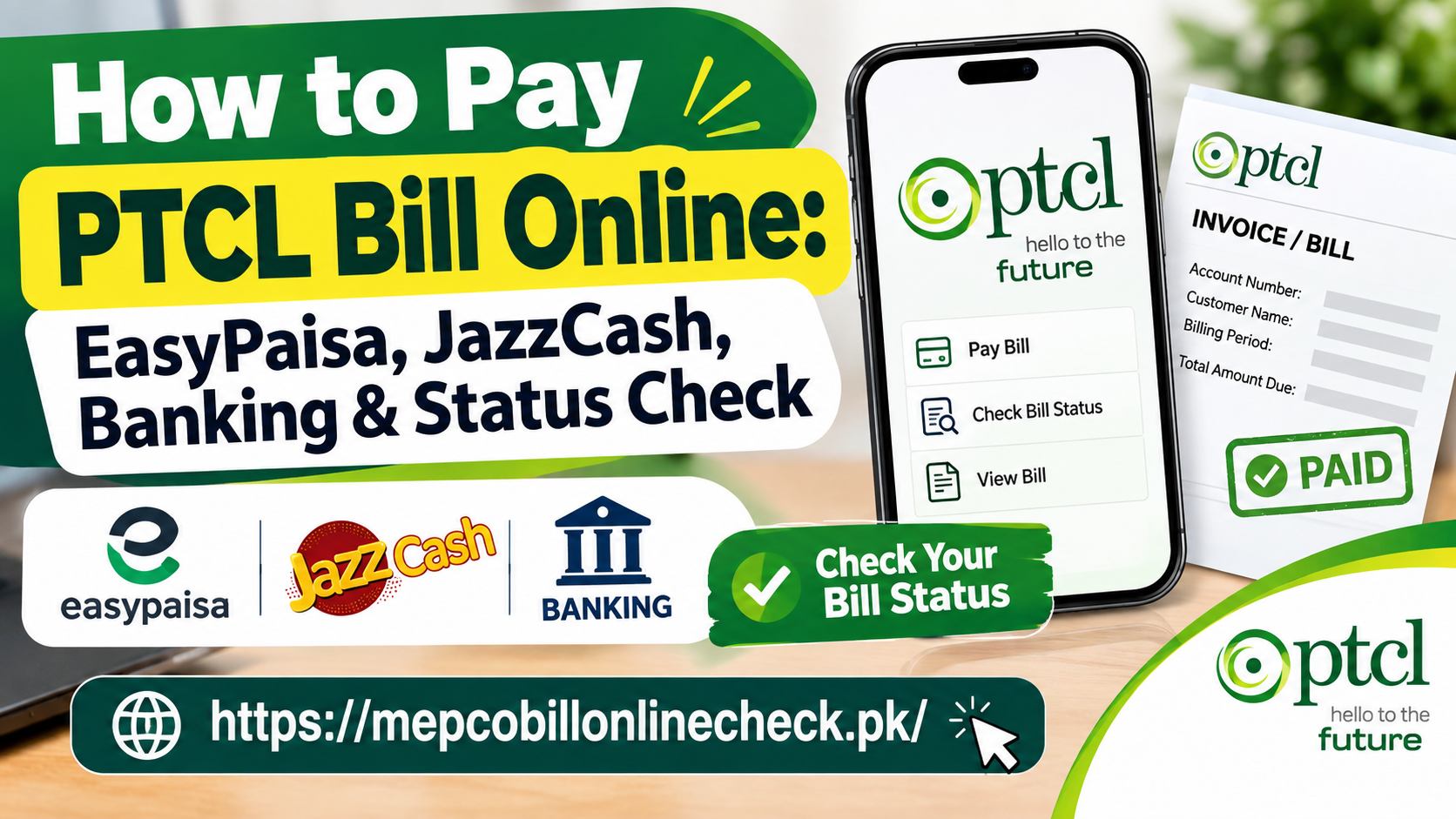
How to Pay PTCL Bill Online: EasyPaisa, JazzCash, Banking & Status Check
Paying a PTCL bill no longer requires a visit to a bank, post office, or customer service center. Customers can use mobile wallets, banking applications, ATMs, payment cards, and other digital channels to settle their PTCL bills from home.
PTCL customers may use services such as EasyPaisa, JazzCash, mobile banking, internet banking, and PTCL’s own online payment facilities. Before making a payment, however, it is important to identify the correct account information and verify the bill details shown by the payment platform.
This guide explains how to pay a PTCL bill online, where to find your Account ID, how to use EasyPaisa and JazzCash, how to pay through banking apps and cards, how to check whether a payment has been received, and what to do when money has been deducted but the bill still appears unpaid.
PTCL Online Bill Payment at a Glance
| Payment Method | Smartphone Required | Account Information | Payment Confirmation |
|---|---|---|---|
| EasyPaisa App | Yes | Account ID or Consumer ID | Digital transaction receipt |
| EasyPaisa USSD | No | Account ID | SMS confirmation |
| JazzCash App | Yes | Account ID or landline details | Digital receipt |
| JazzCash USSD | No | Account ID | Transaction confirmation |
| Mobile Banking | Usually | Account ID or Consumer ID | Bank transaction record |
| PTCL Online Payment | No banking app required | Telephone number and Account ID | Online receipt |
| ATM | No | Bill/account information | ATM receipt |
| PTCL Customer Service | Not applicable | Account information | Depends on payment channel |
What Information Do You Need to Pay a PTCL Bill?
Before starting a payment, have your PTCL billing information available.
Entering the wrong account details can prevent the bill from being retrieved or may create problems during payment.
The main identifiers described in the supplied material include the following.
PTCL Account ID
The Account ID is described in the source as a 10-digit account identification number associated with the PTCL account.
It is one of the main identifiers used by mobile wallets and banking platforms.
Consumer ID or Bill ID
The Consumer ID or Bill ID can appear on the PTCL bill and may be requested by some payment platforms.
PTCL Landline Number
Your landline number may also be required, sometimes together with the relevant area code.
The exact information requested can vary according to the payment service.
Where Can You Find Your PTCL Account ID?
You can look for your billing identification information on your PTCL bill.
Depending on your account and available services, the information may also be available through your electronic bill or PTCL’s digital services.
Before making a payment, compare the account information shown on the payment screen with your own bill.
How to Pay PTCL Bill Online Through EasyPaisa
EasyPaisa provides both app-based and USSD payment options according to the supplied material.
Method 1: EasyPaisa Mobile App
Follow these general steps:
- Open the EasyPaisa application.
- Sign in to your account.
- Select Bill Payment.
- Choose Telephone or Broadband.
- Select PTCL.
- Choose the appropriate PTCL service.
- Enter your 10-digit Account ID or other requested billing identifier.
- Continue to retrieve your bill details.
- Check the account information, bill amount, and due date.
- Confirm the payment.
- Save the transaction receipt or transaction ID.
The source states that the app can retrieve billing information after the account identifier is entered.
EasyPaisa Payment Flow
Open EasyPaisa
↓
Bill Payment
↓
Telephone/Broadband
↓
PTCL
↓
Enter Account ID
↓
Verify Bill
↓
Pay
↓
Save Transaction ID
How to Pay PTCL Bill Through EasyPaisa Without a Smartphone
The supplied material also describes a USSD option for customers using a registered Telenor SIM.
The general process is:
- Dial
*786#. - Select Pay Bills.
- Choose Telephone/Broadband.
- Select PTCL.
- Enter your 10-digit Account ID.
- Check the bill amount displayed.
- Enter your EasyPaisa PIN.
- Wait for the transaction confirmation message.
Keep the confirmation message or transaction information until the payment has been reflected in your PTCL account.
How to Pay PTCL Bill Through JazzCash
JazzCash is another payment option described in the supplied material.
Customers can use either the JazzCash mobile application or its USSD service.
Method 1: JazzCash Mobile App
- Open the JazzCash application.
- Sign in using your MPIN or available authentication method.
- Select Pay Bills.
- Choose Telephone or Broadband.
- Select PTCL.
- Enter the requested Account ID or landline information.
- Review the account details.
- Check the payable amount.
- Confirm the payment.
- Enter your MPIN.
- Save the payment receipt.
The source states that the application displays consumer information and the amount due before confirmation.
Method 2: JazzCash USSD
For the USSD option described in the source:
- Dial
*786#from the registered Jazz SIM. - Select Pay Bills.
- Choose Telephone.
- Select PTCL.
- Enter your Account ID.
- Review the displayed bill information.
- Enter your JazzCash MPIN to authorize the payment.
How to Pay PTCL Bill Through Mobile Banking
PTCL bills can also be paid through supported banking applications.
The general process is similar across banking platforms, although menu names can differ.
Steps for Mobile Banking
- Open your bank’s mobile application.
- Sign in.
- Open Bill Payments, Utility Payments, or a similar option.
- Select the option for adding or managing a biller.
- Search for PTCL.
- Select the appropriate PTCL service.
- Enter the requested Account ID or Consumer ID.
- Review the retrieved account information.
- Select the bank account from which the payment will be made.
- Complete any required authentication or OTP verification.
- Confirm the transaction.
- Save the bank transaction reference.
The supplied material identifies several Pakistani banks as supporting PTCL bill payments through digital banking channels.
How to Pay PTCL Bill With a Debit or Credit Card
The supplied material also describes a direct online card-payment route.
The general process is:
- Open PTCL’s online payment facility.
- Select your service type.
- Enter the requested telephone and Account ID information.
- Retrieve the bill.
- Select the debit or credit card payment option.
- Enter the card information requested by the payment gateway.
- Complete the bank’s additional authentication step if required.
- Complete the transaction.
- Save the digital receipt.
Card payments may involve additional authentication through the card-issuing bank.
PTCL Bill Payment Through an ATM
Customers who prefer not to use mobile applications can also use supported bank ATMs.
The supplied material describes ATM bill payment as a card-based process through the available bill-payment menu.
After completing the transaction, keep the ATM receipt as proof of payment.
Other Ways to Pay a PTCL Bill
Digital payment is not the only option.
The supplied material identifies several traditional payment channels, including:
| Payment Channel | Payment Method | Typical Confirmation |
|---|---|---|
| Bank branches | Over-the-counter payment | Stamped receipt |
| Bank ATMs | Card-based bill payment | ATM receipt |
| Post offices | Cash payment where supported | Physical receipt |
| PTCL customer service locations | Counter or kiosk payment | Payment receipt |
| Retail wallet agents | Agent-assisted payment | Confirmation message |
The exact availability of a particular channel can vary by location and service.
How to Check PTCL Online Bill Payment Status
Making a payment is only one part of the process.
After paying, customers should confirm that the payment has been received and that their PTCL account no longer shows the bill as outstanding.
Check Through the PTCL Bill System
The supplied material describes a process involving the PTCL bill-checking system:
- Open the PTCL bill-checking service.
- Select the relevant service.
- Enter the required phone number and Account ID.
- Submit the information.
- Review the current bill status.
- Check whether the payment has been reflected.
If the payment has been processed successfully, the account information should eventually reflect the updated payment status.
Check Through the PTCL Mobile App
The supplied material also describes checking payment information through the PTCL Touch App.
The general process is:
- Open the application.
- Sign in.
- Go to bill details.
- Review the current bill.
- Check the billing history and available transaction information.
How Long Does PTCL Online Payment Take to Reflect?
The supplied material notes that a payment can be processed before the paid status becomes visible in the central billing system.
It states that the status may take approximately 15 minutes to 2 hours to update during busy billing periods.
For this reason, customers should avoid making a second payment immediately if money has already been deducted.
Keep the transaction ID until the payment status has been confirmed.
What to Do If Money Was Deducted but PTCL Still Shows Unpaid
This is one of the most important situations to handle carefully.
If your bank or wallet has deducted the money but the PTCL account still shows an unpaid bill:
Step 1: Do Not Immediately Pay Again
A second payment could result in paying the same bill twice.
Step 2: Save the Transaction ID
Keep the digital receipt, transaction number, SMS, screenshot, or bank confirmation.
Step 3: Wait for the Payment Status to Update
The supplied material advises allowing time for the payment systems to synchronize.
Step 4: Check With Your Bank or Wallet
If the payment still does not appear, confirm whether the transaction was completed, reversed, or remains pending.
Step 5: Contact PTCL If Necessary
The supplied material identifies PTCL’s helpline as 1218 for payment-related assistance and recommends providing the transaction ID when requesting help with a payment that has not been reflected.
What Does a PTCL Bill Include?
A PTCL bill can contain several different charges.
Understanding these components can help customers determine why the total amount is higher than the basic package price.
Monthly Subscription Charges
This is the recurring amount associated with the customer’s selected service or package.
Landline Line Rental
Where applicable, the bill can include a charge associated with maintaining the PSTN landline service.
Value Added Services
Optional services can appear as additional charges.
The supplied material gives examples such as Smart TV, caller identification, static IP services, and international calling packages.
Arrears or Previous Balance
An arrear represents an amount carried forward from an earlier billing cycle.
If a previous bill was not paid in full, the outstanding amount may appear on the next bill.
Withholding Tax
The supplied material identifies Advance Income Tax or withholding tax as one of the possible bill components.
Sales Tax or GST
Applicable taxes on telecommunications services can also form part of the final amount.
Late Payment Surcharge
A late-payment amount may be added when a bill is paid after its stated due date.
PTCL Bill Charges at a Glance
| Bill Component | What It Represents |
|---|---|
| Subscription | Recurring charge for the selected service |
| Line rent | Applicable landline service charge |
| VAS | Optional additional services |
| Arrears | Previous unpaid amount |
| Withholding tax | Applicable tax deduction |
| Sales tax | Applicable tax on services |
| Late payment surcharge | Charge associated with late payment |
What Happens If You Do Not Pay Your PTCL Bill?
Failure to pay a bill can result in an outstanding balance and may eventually affect the associated service.
The supplied material specifically discusses situations where customers have already experienced service interruption because of non-payment.
After payment, the source states that automated systems can normally restore internet or landline service within approximately 10 to 30 minutes when payment has been made through supported digital channels.
Actual restoration time can depend on the account, payment channel, and system status.
How to Get PTCL Service Restored After Paying
If your PTCL internet or landline service was suspended because of an unpaid bill:
- Pay the outstanding amount.
- Save your transaction confirmation.
- Allow the payment to process.
- Wait for the service status to update.
- Restart your modem or ONT if internet service does not reconnect automatically.
- Contact PTCL support if the service remains disconnected.
The supplied material recommends restarting the modem or ONT when the connection does not automatically return.
Can You Pay a PTCL Bill After the Due Date?
Yes, the supplied material states that customers can continue paying electronically after the due date.
However, a late-payment surcharge may be included after the deadline.
Before confirming payment, check the amount displayed by the payment platform so you know the total being charged.
PTCL Online Payment Troubleshooting
| Problem | Recommended Action |
|---|---|
| Bill cannot be found | Recheck Account ID and other billing information |
| Wrong bill appears | Do not pay until the account details are verified |
| Money deducted but bill unpaid | Save transaction ID and wait for synchronization |
| Payment remains pending | Check with your bank or wallet |
| Service remains disconnected | Allow processing time and restart equipment |
| Old balance appears | Check previous payment records and arrears |
| Payment dispute | Contact the payment provider and PTCL with transaction evidence |
PTCL Online Payment Safety Tips
When paying bills online, customers should take a few precautions.
Verify the Account Before Paying
Always check the account name, service information, and amount displayed before confirming a transaction.
Never Share Your PIN
Do not provide your EasyPaisa PIN, JazzCash MPIN, banking password, OTP, or card security information to another person.
Keep Your Transaction Reference
Save your transaction ID until the payment appears correctly in the PTCL billing system.
Avoid Duplicate Payments
If money has already been deducted, do not immediately submit another payment simply because the PTCL account has not yet updated.
Check the Final Amount
The amount due can include taxes, arrears, or late-payment charges, so compare the displayed amount with your bill.
Frequently Asked Questions About PTCL Online Bill Payment
How can I pay my PTCL bill online?
You can use supported mobile wallets, banking applications, ATMs, online card-payment facilities, and other available digital payment channels.
What is the PTCL Account ID?
The supplied material describes the Account ID as a 10-digit account identification number associated with the PTCL account.
Where can I find my PTCL Account ID?
Check your PTCL bill or electronic billing information. The supplied material also identifies PTCL’s digital services as places where billing information can be accessed.
Can I pay my PTCL bill through EasyPaisa?
Yes. The supplied material describes both EasyPaisa app and USSD payment methods.
Can I pay PTCL bill through JazzCash?
Yes. JazzCash app and USSD payment methods are described in the supplied material.
Can I pay PTCL bill through mobile banking?
Yes. The supplied material describes a general mobile-banking process involving the bank’s bill-payment section and PTCL account identification.
Can I pay PTCL bill using a debit card?
The supplied material describes direct online payment using a debit or credit card through PTCL’s online payment facility.
Can I pay PTCL bill without a smartphone?
The supplied material describes USSD payment methods through EasyPaisa and JazzCash, which do not require a smartphone.
What should I do if my PTCL payment was deducted but the bill is still unpaid?
Do not immediately pay again. Save the transaction ID, allow time for the systems to synchronize, and check with your bank or wallet if the payment remains unresolved. You can then contact PTCL support with the transaction information.
How long does an online PTCL payment take to appear?
The supplied material states that the payment status may take approximately 15 minutes to 2 hours to update during busy periods.
Can I pay PTCL after the due date?
Yes. The supplied material states that digital payment remains available after the due date, although a late-payment surcharge may apply.
How can I check whether my PTCL bill has been paid?
You can check your billing status through PTCL’s bill-checking service or the PTCL Touch App, according to the supplied material.
What happens if I accidentally pay the same PTCL bill twice?
Keep the transaction records for both payments and contact the relevant payment provider and PTCL for assistance. Do not assume that a duplicate payment will automatically be resolved without verification.
Does PTCL restore internet service immediately after payment?
The supplied material states that automated restoration can normally occur within approximately 10 to 30 minutes after supported online payments, although actual restoration can vary.
What is a PTCL transaction ID?
It is the reference associated with a payment transaction. It is useful when you need to prove that a payment was made or ask a payment provider or PTCL to investigate a payment issue.
What are PTCL arrears?
Arrears are amounts from previous billing periods that remain unpaid and have been carried forward to the current bill.
Why is my PTCL bill higher than my monthly package?
The total may include taxes, arrears, line-related charges, value-added services, late-payment amounts, or other applicable components.
Can I get a PTCL tax deduction certificate?
The supplied material states that customers can obtain a withholding tax certificate through PTCL’s designated digital services.
PTCL Online Bill Payment Checklist
Before paying:
- Check your Account ID.
- Confirm your telephone or service details.
- Check the current amount due.
- Review any arrears.
- Check the due date.
- Confirm the payment account or wallet.
- Verify the bill information before pressing Pay.
After paying:
- Save the transaction ID.
- Keep the receipt.
- Check your PTCL payment status.
- Do not make a second payment immediately if the status has not updated.
- Contact support if the payment remains unresolved.
Final Takeaway
PTCL customers have several ways to pay their bills without visiting a physical payment center.
Mobile wallets such as EasyPaisa and JazzCash, banking applications, ATMs, card-based payments, and other supported channels can provide convenient alternatives to traditional over-the-counter payments.
The most important step before any transaction is confirming the correct Account ID or other required billing information. After making the payment, keep the transaction reference and verify that the payment has been reflected in the PTCL billing system.
If money has already been deducted but the account still shows an unpaid bill, avoid making another payment immediately. Give the payment system time to update, verify the transaction with your bank or wallet if necessary, and use the transaction reference when contacting PTCL support.
Source note: This article is based on the supplied PTCL payment guide. Specific payment menus, processing times, service availability, fees, and digital-platform procedures can change, so customers should confirm the current instructions displayed by their payment provider before completing a transaction.