Mepco Bill Check by Reference Number – A Simple Guide to Find Your Bill Instantly
Electricity bills can sometimes arrive late or get misplaced. In such cases, being able to check your MEPCO bill online using your reference number becomes incredibly useful. Whether you’re planning your monthly budget or simply want to avoid late fees, this guide walks you through how to quickly and reliably access your Mepco electricity bill using nothing but your 14-digit reference number.
What is a Reference Number and Where Do You Find It?
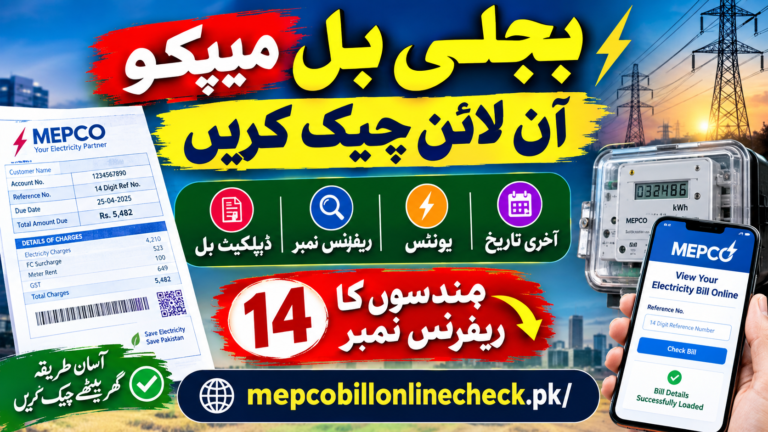
The reference number is a 14-digit unique code printed on every MEPCO electricity bill. It’s typically located in the top-left or top-center section of the bill, often just above or beside the customer ID. This number is essential because it acts like your account number, letting the system pull up your latest bill details directly from MEPCO’s database.
If you can’t locate a physical copy of your bill, don’t worry. You can also find this number by logging into any online payment app you’ve used previously to pay your MEPCO bills such as Easypaisa or JazzCash—as they usually store bill history.

How to Check Mepco Bill Online Using Reference Number
To check your MEPCO bill, follow these steps:
Visit the official MEPCO billing portal or a trusted third-party site such mepcobillonlinecheck.pk.
Locate the input field labeled “Enter Reference Number.”
Type your full 14-digit reference number without spaces.
Click on “Submit” or “Check Bill.”
Your latest bill will appear on the screen, including the total amount due, due date, and units consumed.
You also have the option to download or print the bill for your records or future use.
Why Choose the Reference Number Method?
There are several ways to retrieve your MEPCO bill, including using a customer ID. However, the reference number method is considered the most reliable because:
- It directly connects to your meter’s billing data.
- It avoids confusion if customer IDs have changed.
- It can be used across various platforms and mobile apps.
Can You Use the Same Number Every Month?
Yes. The reference number remains the same as long as you haven’t changed your electricity connection or had your meter replaced. This simplifies monthly bill checks. You enter the number once and access your bill in seconds.
To make things even easier, consider bookmarking the MEPCO bill check page or saving the reference number in a secure place, like your notes app or a Google Keep entry.
SMS Option – An Offline Backup
In case you’re not near a computer or smartphone with internet access, you can still receive your MEPCO bill using SMS. Just send the following text message from any mobile phone:
Send it to 8334, and you’ll receive your latest bill amount and due date directly via SMS. This method works 24/7 and is especially helpful for those in remote areas or during service interruptions.
How Often is the Online System Updated?
MEPCO updates its billing system in real-time. As soon as a new bill is issued, it becomes available online. You can also view past billing records, including payment history and unit consumption trends, which can help you track usage and detect any sudden spikes.
If you’ve paid your bill recently, the update might take 24 to 48 hours to reflect in the system, especially if you used a third-party app or bank payment gateway.
Download and Print Your Duplicate Bill
Need a copy for your landlord or office records? You can download a duplicate of your MEPCO bill directly from the same portal after entering your reference number. Most platforms support one-click printing, and you can even save the bill as a PDF file.
This is particularly handy when you need to submit utility bills for visa applications, proof of residence, or office reimbursements.
Mobile Apps and Wallet Integrations
Popular apps like Easypaisa, JazzCash, Daraz Wallet, and various Internet banking apps now allow users to check and pay their MEPCO bills using stored reference numbers. These apps also send monthly bill alerts and reminders, reducing your chances of missing due dates.
Setting up a recurring alert can make life easier, especially if you manage bills for more than one property.
Avoiding Late Charges
Checking your MEPCO bill online is more than just convenient—it’s financially smart. By viewing your bill early, you get time to manage funds or report any discrepancies. Late payment surcharges are often avoidable if you keep track of your due dates using online tools or reminders.
Security and Privacy Tips
When checking bills online, always use secure and official websites. Avoid sharing your reference number with unknown sources, especially through messaging platforms. Most official portals use encryption to ensure that your personal information and billing data are protected.
For an added layer of safety, never use public Wi-Fi when accessing billing platforms, especially if you’re planning to make payments right after viewing the bill.
The days of waiting for paper bills are long gone. With the Mepco bill check by reference number, you can instantly get your electricity bill from the comfort of your home—or even on the go. Just type in your reference number, and all the information is at your fingertips.
Whether you’re a tenant, landlord, or just someone who likes staying on top of things, checking your bill online ensures peace of mind and better control over your electricity expenses.
Frequently Asked Questions
1. How can I check my MEPCO bill by reference number?
You can check your MEPCO bill online by entering your 14-digit reference number on the MEPCO bill checking website. After entering the number, your latest bill details, including the amount, due date, units consumed, and meter readings, can be viewed online.
2. What is a MEPCO reference number?
A MEPCO reference number is a unique 14-digit number assigned to your electricity connection. It helps identify your connection and is commonly used when checking your MEPCO bill online.
3. Where can I find my 14-digit MEPCO reference number?
You can find the reference number printed on your previous MEPCO electricity bill. Look near the consumer or billing information section of the bill. Once you find it, save the number somewhere safe for future bill checks.
4. Can I check my MEPCO bill without the reference number?
Checking your bill online normally requires the reference number. If you have lost your bill and do not remember the number, check an older bill, payment record, or contact MEPCO for help in finding your connection details.
5. Can I check my MEPCO bill using my mobile phone?
Yes. You can use a smartphone, tablet, or computer with an internet connection to check your MEPCO bill online. Simply enter your reference number in the bill-checking field and view the available bill information.
6. What information can I see when I check my MEPCO bill online?
Depending on the online bill service, you can see important details such as your bill amount, due date, billing period, units consumed, meter readings, and other applicable charges. This makes it easier to understand your current electricity bill.
7. Can I download or print my MEPCO bill online?
Yes, if the online bill page provides a download or print option, you can save a copy of your bill or print it for your records. This is especially useful if your paper bill has not arrived or has been misplaced.
8. Why is my MEPCO bill higher than last month?
A higher bill can happen for several reasons, including increased electricity consumption, changes in applicable charges or taxes, previous unpaid amounts, adjustments, or other billing factors. Comparing your current bill with an older bill can help you understand the difference.
9. Can I check my previous MEPCO bills with my reference number?
Your reference number can help identify your electricity connection, but the availability of previous bills depends on the online service you are using. If you need an older bill, you may also need to check your saved records or contact MEPCO.
10. What should I do if my MEPCO reference number is not working?
First, check that all 14 digits have been entered correctly without missing or adding any number. If the number still does not work, compare it with an older bill or contact MEPCO customer support to confirm your connection details.